Posts

Showing posts with the label scape-up

VMware vROps - What's new in vROps 6.4?
Image
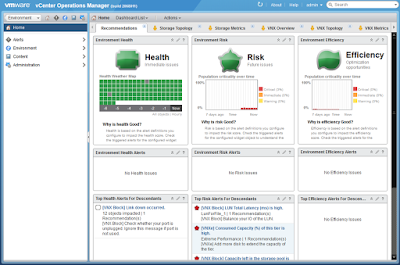
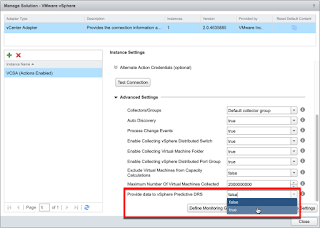
VMware announced the release of vRealize Operations Manager (vROps) 6.4. This update includes the usual stability and usability  improvements along with support for vSphere 6.5, as well as introduction of Predictive DRS (pDRS) for Workload Placement (WLP). pDRS is in technical preview until vROps 6.5 is released in 17Q1. On top of that, j ust like vROps 6.3 before it, vROps 6.4 comes with more new Custom Dashboards OOTB.  So without further adieu, l et's take a closer look at all the goodies.

VMware vROps - Exposing and Reporting on VM Custom Profiles with API and Super Metrics

Image
Since the introduction of Custom Profiles in vROps 6.1, VMware has given customers the ability to define their own custom VM sizes for capacity planning purposes. This is a very handy feature when performing capacity analysis  using the canned Analysis > Capacity Remaining dashboard on the vSphere Cluster level. However, there is no way to access these custom profile metrics through any of the metric pickers so they cannot be added to custom dashboards or reports. API and Super Metrics to the rescue. In this post we will cover how to access and expose the custom profile metrics to the GUI so they can be easily leveraged throughout the product's various visual elements. I had many customers ask for this in the past so figured it's time to let the cat out of the bag and let the world know.

VMware vROps - A closer look at what's new in vROps 6.3

Image
Without much fanfare, VMware released vRealize Operations Manager (vROps) 6.3 right before  VMworld 2016 . vROps is VMware's popular Cloud and Software Defined Datacenter (SDDC) monitoring and analytics solution. Besides the usual  enhancements to most features including c onfiguration, licensing, alerting, reports, policies as well as introducing some new dashboards and widgets, this release is jampacked with hidden gems all over the place.  A number of bug fixes were also included. This post will elaborate on some of the new features and enhancements beyond what was provided in the press release. So read on because there are some cool things that VMware omitted from the official release materials that are well worth you time.

VMware vROps - Compare Multiple VMs Dashboard

Image
A customer recently asked if it was possible to compare the same metric from multiple VMs in a single dashboard. Yes it is, and here is how it's done and what such a dashboard may look like. This type of dashboard is very useful if you want to evaluate and compare performance of several VMs carrying out the same or similar work. For example, it could include a number of load balanced web front-ends or some other VMs hosting a number of different enterprise applications. It can also be used to compare how similar VMs perform on different vSphere Hosts running on different generation hardware. Of course the same concept can be applied to comparing different vSphere Hosts or Datastores themselves.

VMware vROps - vRealize Operations Manager 6.2 Released

Image
VMware just released a new update to its popular cloud operations management and monitoring suite.  vRealize Operations Manager 6.2 is the newest release of the VMware's integrated vRealize Operations Suite in the SDDC family. Updates address all major features of the product including installation, configuration, licensing, alerting, dashboards, reports, policies as well as introducing some new enhancements.

VMware vROps - VM Storage Consumption Dashboard

Image
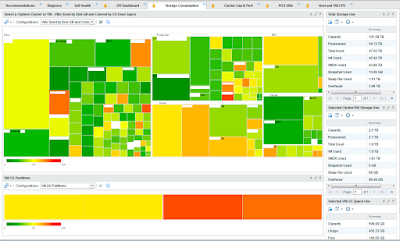
As mentioned in my Datastore Oversubscription Dashboard post, here is the VM Storage Consumption Dashboard. It appears very similar to the oversubscription one but it looks at storage use from another perspective. Mainly, it shows who/which VMs are the biggest consumers of storage resources. In addition, we can also see how much of the allocated storage space the VMs are actually utilizing, and if the Guest OS partitions are filling up, provided that VMware Tools are installed and running. Besides the visuals, we have some overall environment storage utilization stats, followed by cluster and VM.

VMware vROps - To HA or not to HA?

Image
A lot of my clients want to deploy vROps with High Availability (HA) option enabled. When I hear this, I simply ask them to name at least one business requirement that dictates the use of HA for vROps in their environment. The answer I typically get is something like this: "because we want HA" with some undertones of: how dare you ask, you should know we're a very important company! Well, working as a vROps consultant over the last year, I realized that there are a lot of misconceptions about the vROps HA feature. In this post, I would like to clarify some things about vROps HA and hopefully empower you to make the right decision when designing your vSphere monitoring solution.

VMware vROps - When and how to scale your monitoring solution?

Image
There has been a lot of hype surrounding the new scale-out vROps architecture, which enables you to easily add more nodes to vROps analytics cluster as needed. However, is scale-out always the right choice? Sometimes, a scale-up option may be better suited depending on what shortfall you are trying to address. In this post, we will go through some common scenarios that will help you make the right decision for your environment and hopefully make this process more of a science than an art.